LIVEBarcode inventory for Whatnot, TikTok Shop and eBay Live sellers on Shopify
Sell it on camera. Scan it off the shelf.
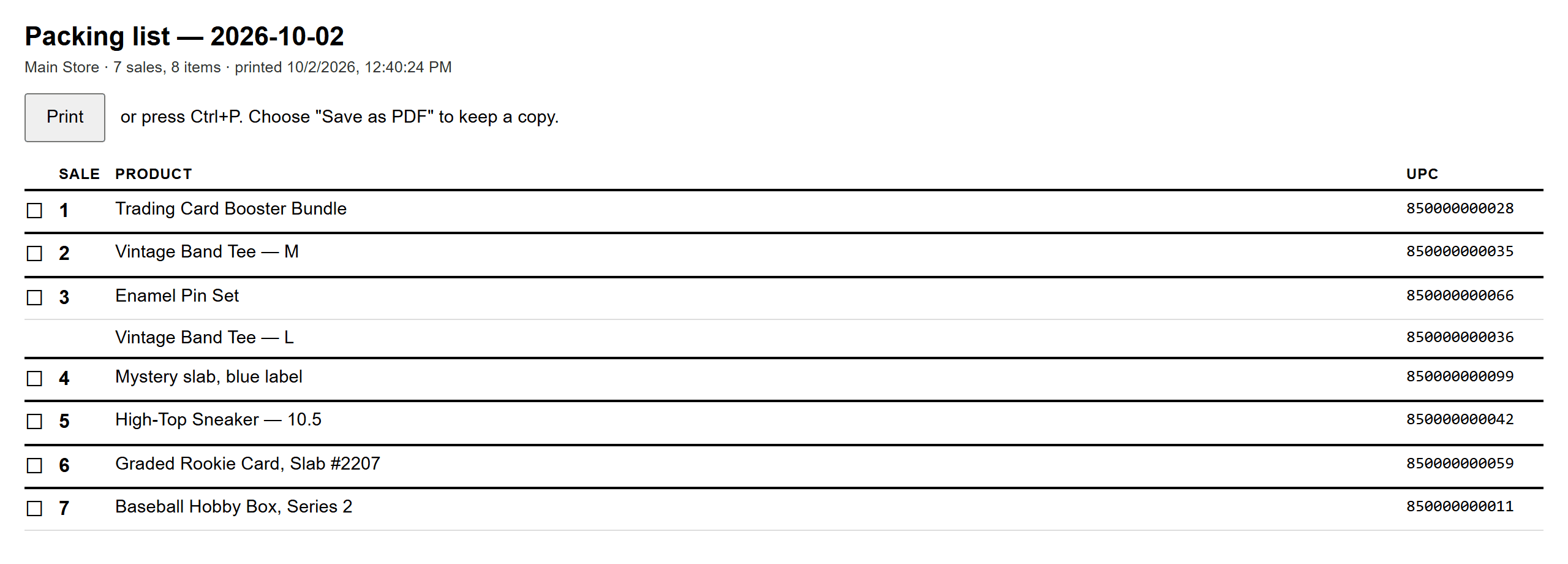
One generic listing, hundreds of real items. ScanStation turns a barcode scan into an exact Shopify stock change, so the item that left the table is the item that leaves your inventory, with the right sale number on it.
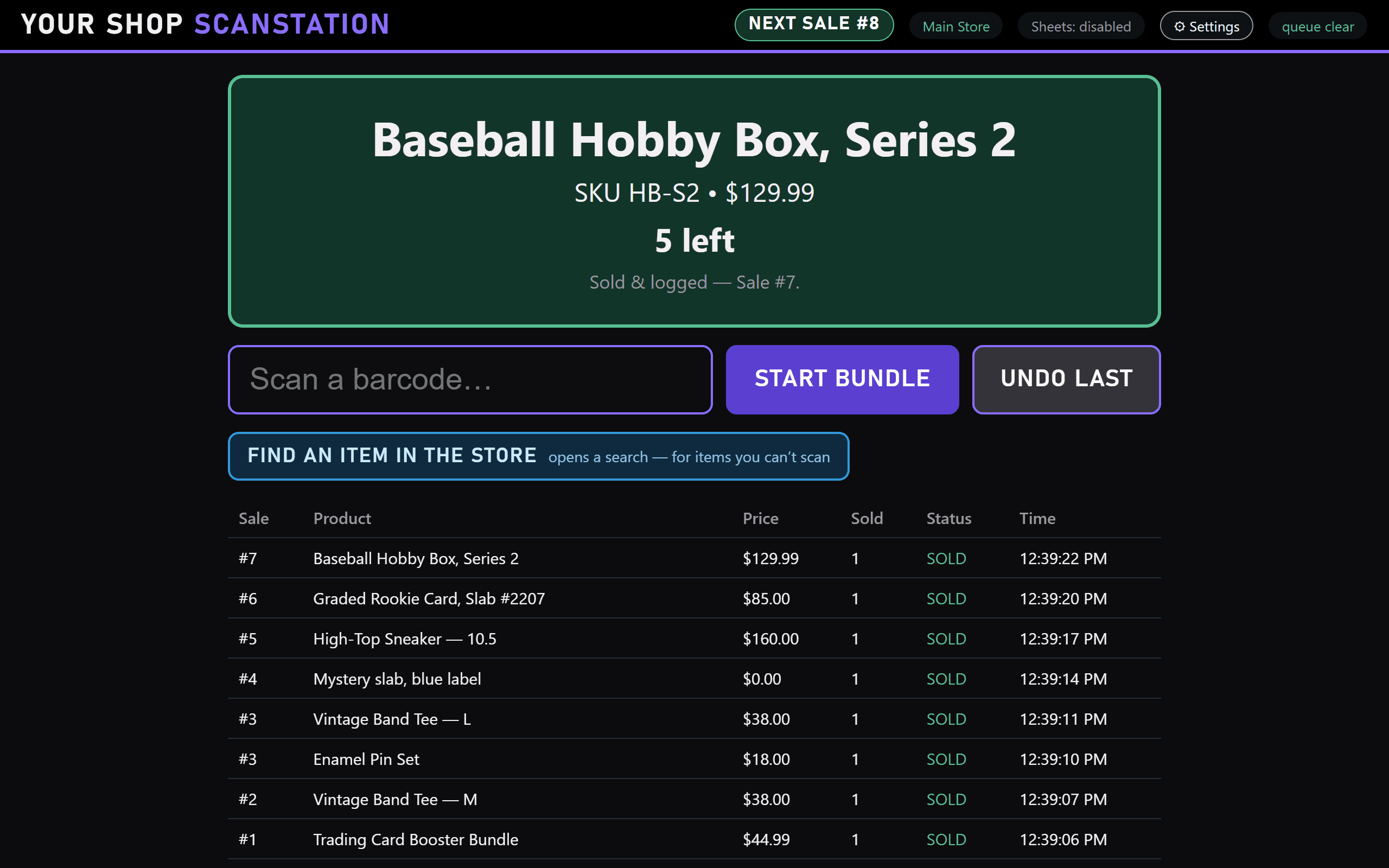
Real screenshots of ScanStation, taken with a pretend store. Your screen shows your shop's name and your products.
The listing is generic. The item isn't.
- 01
Buyer 143 pays for “Mystery Slab.”
Fast for the show. Useless for your stock count.
- 02
You pull the real item on camera.
A specific card, pair or piece, with a barcode already on it.
- 03
One scan tells Shopify which one left.
That item drops by one, the sale number goes on the packing list, and you keep talking.
From download to live in one evening.
Install
Download for Windows or Mac from your account. One click, no admin rights, nothing else to install.
Connect Shopify
The setup screen walks you through it and checks every value against your real store before saving.
Rehearse, then go live
Practise in Test Mode, where only test items scan. When the show starts, switch to LIVE: every scan sells.
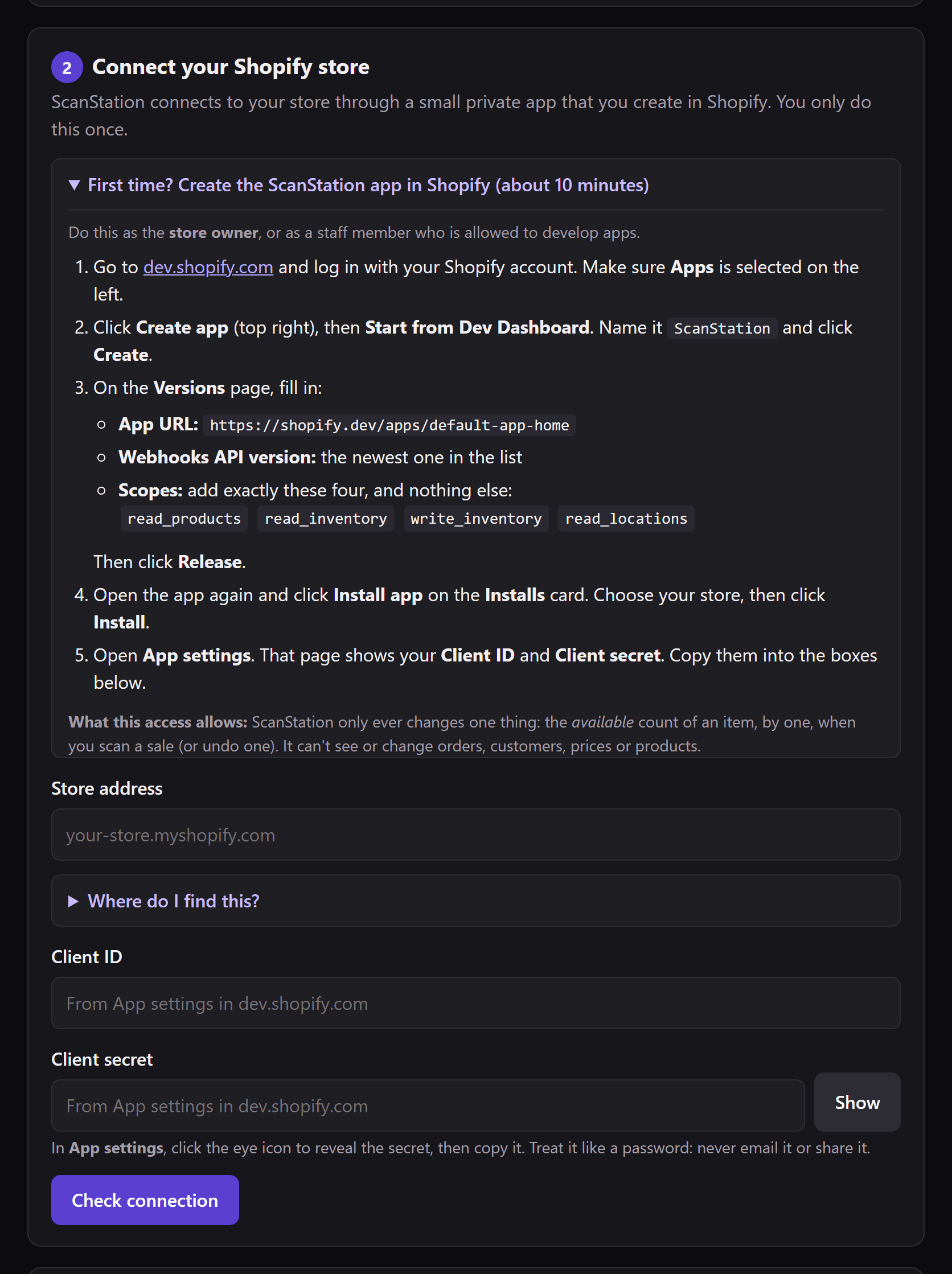
Step 2, exactly as you'll see it.
The setup screen walks you through creating ScanStation's small private app in your Shopify admin, with the four permissions it needs and nothing else. Before anything is saved, it checks each value against your real store, and it only reads.
One show, screen by screen.
Real screenshots of ScanStation, taken with a pretend store. Your screen shows your shop's name and your products.
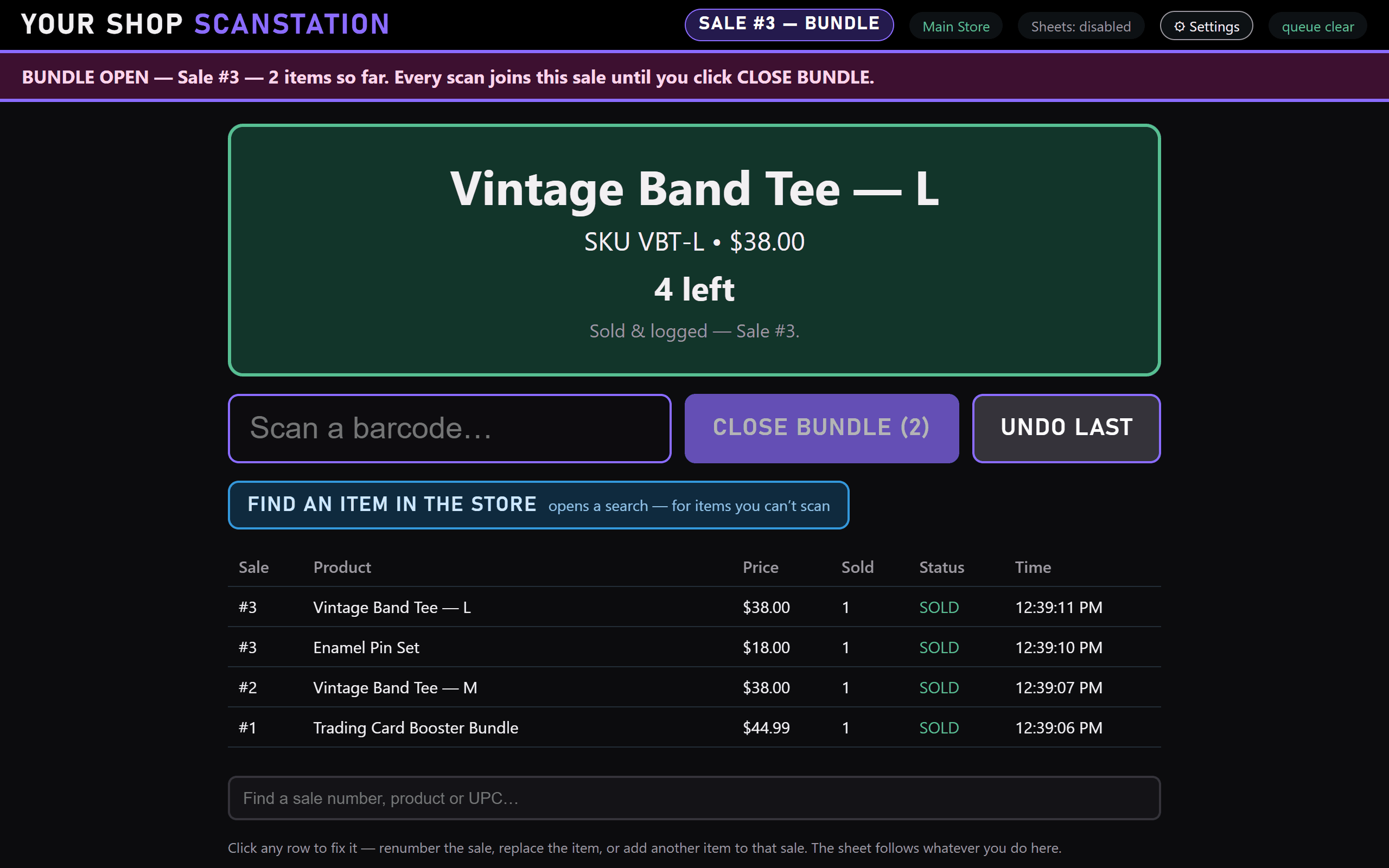
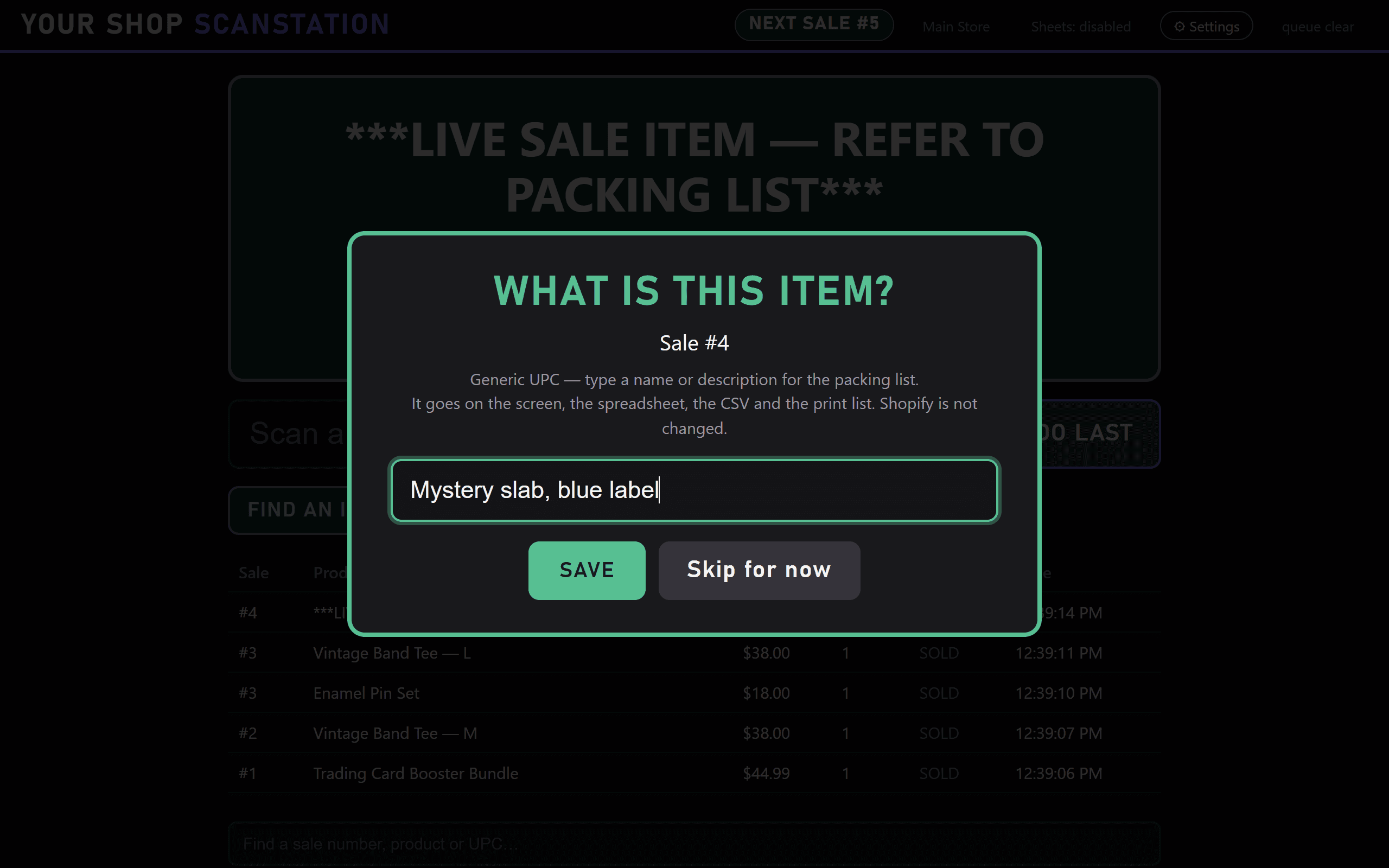
When it goes wrong mid-show, there's a button for it.
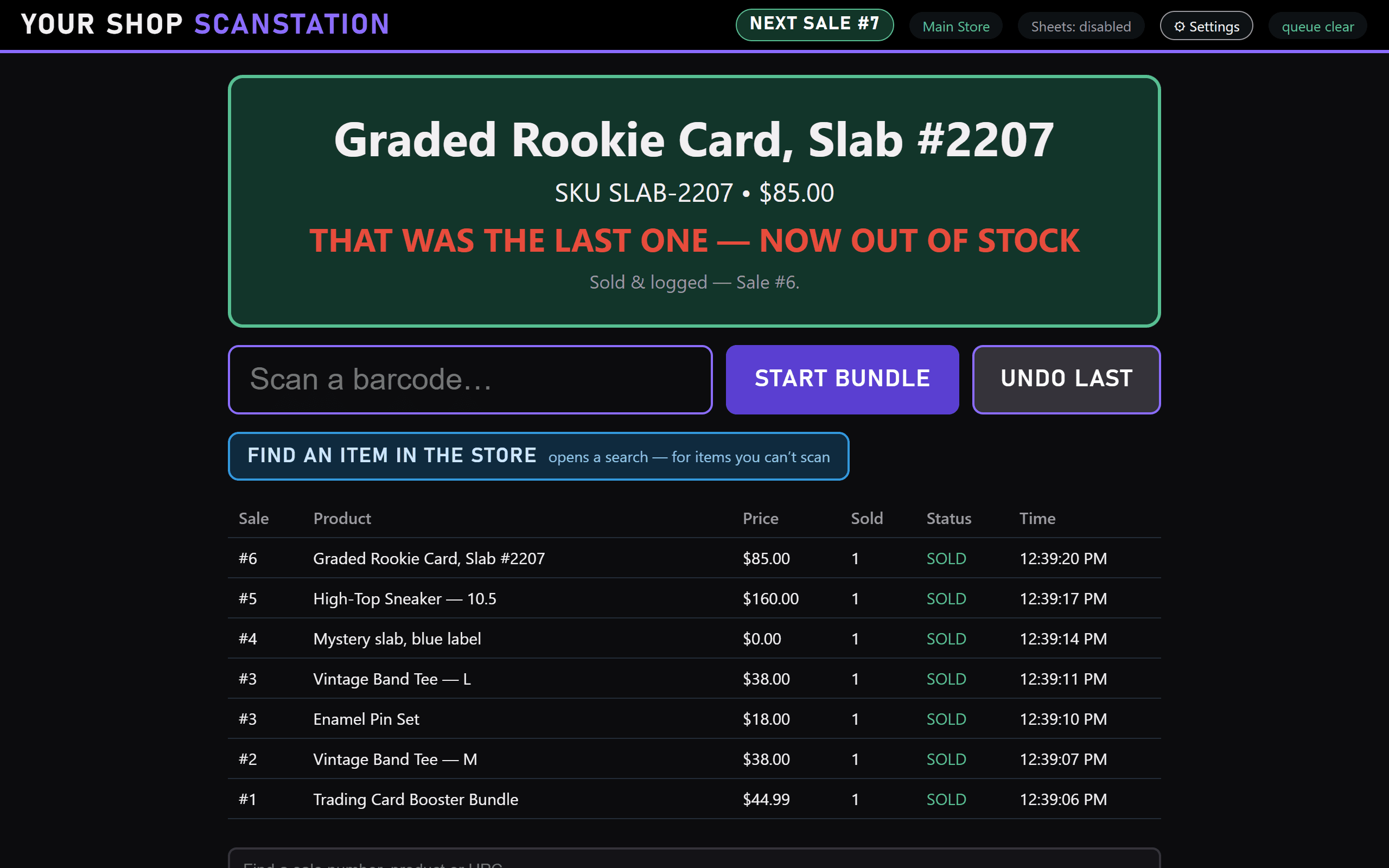
- One buyer takes three items
- Start a bundle. The sale number holds still while you scan all three.
- START BUNDLE
- You scanned the wrong thing
- Undo puts it straight back in Shopify stock and off the packing list.
- CTRL+Z · UNDO
- The scanner fires twice
- A second read of the same code within half a second counts once.
- 0.5 S GUARD
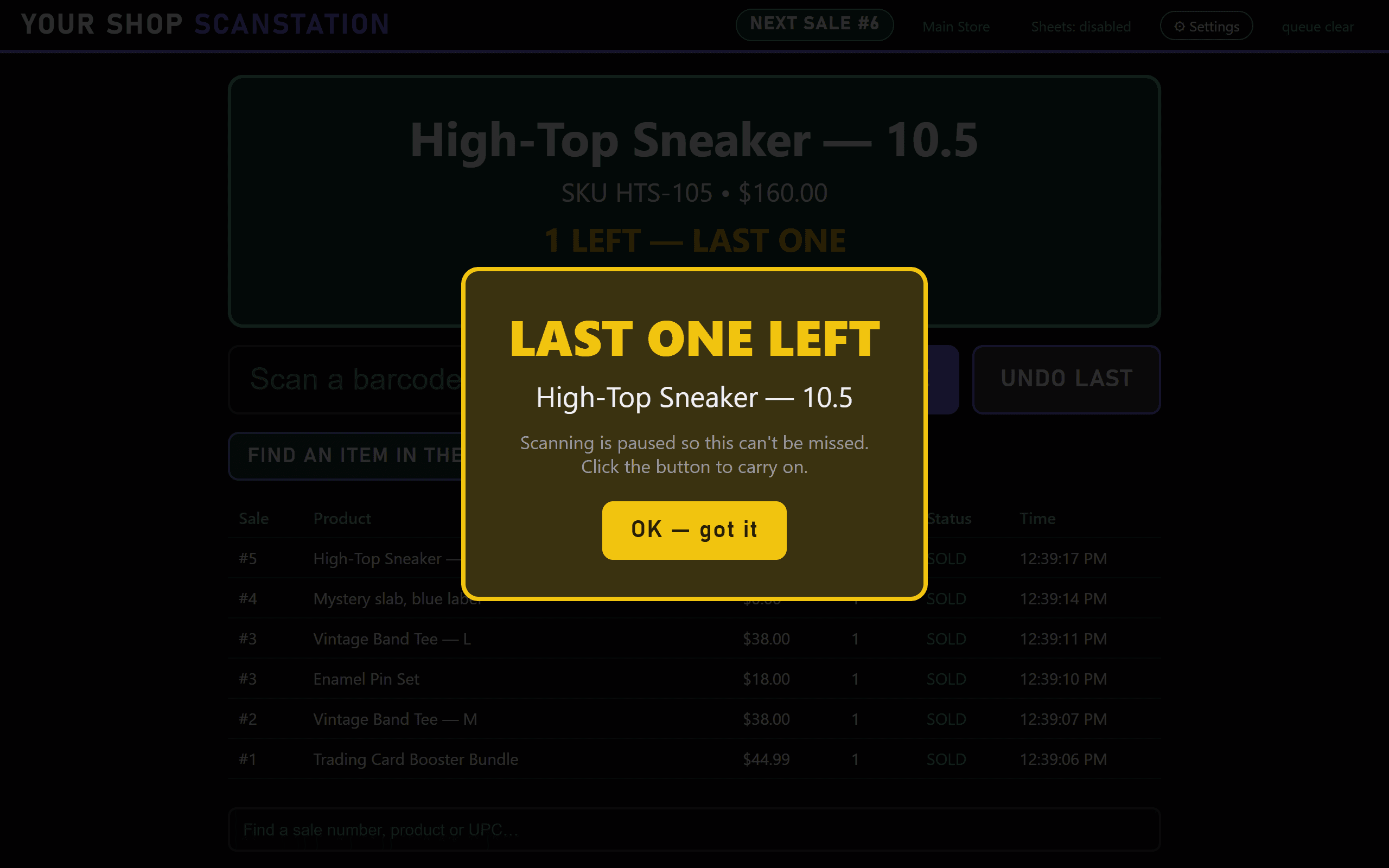
- An item is down to its last one
- Scanning pauses on a LAST ONE LEFT warning until you click OK, so it can't slip past you on camera.
- LAST ONE LEFT
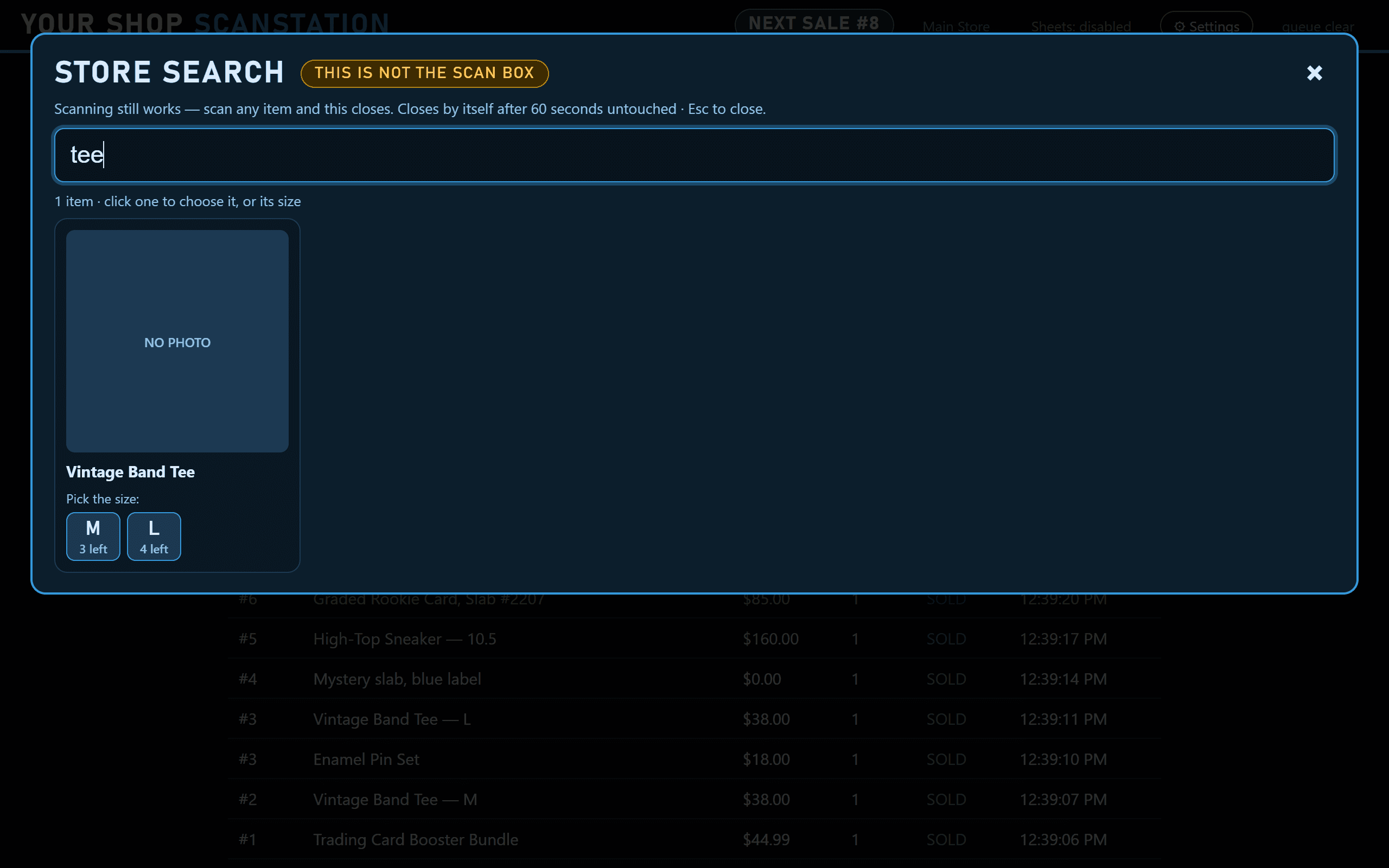
- A label won't scan
- Search your store and sell the item exactly as if it had scanned.
- FIND AN ITEM
- The sale numbers drifted
- Correct the number mid-show, or click any row to add, replace or renumber.
- CHANGE SALE #
- The venue Wi-Fi drops
- Keep scanning. Sales queue on your computer and catch up with Shopify when it's back.
- OFFLINE QUEUE
Your store, your keys
It changes one number. That's it.
The only change ScanStation ever makes to your store is plus or minus one “available,” at the one location you choose. It never touches orders, customers, products or prices. Your Shopify keys and show data stay on your computer.
- read_products
- names, barcodes and photos while you scan
- read_inventory
- how many are left
- write_inventory
- ±1 available, at one location
- read_locations
- so you can pick which location sells
One app. Every show.
Create an account, subscribe through Stripe, and the download is in your account straight away.
Every feature, Windows and Mac, every update.
- Windows and Mac desktop app
- Every feature, every update
- Google Sheets packing list
- [SUPPORT LEVEL] setup help
Everything in monthly, billed once a year. [SAVINGS]
- Windows and Mac desktop app
- Every feature, every update
- Google Sheets packing list
- [SUPPORT LEVEL] setup help
Secure checkout by Stripe. Manage or cancel any time from your account.
Asked before every first show.
What is ScanStation?
ScanStation is a desktop app for live-show sellers who keep their stock in Shopify. When you sell from a generic listing on Whatnot, TikTok Shop or eBay Live, scanning the real item's barcode takes one off its “available” count in Shopify and records the buyer's sale number on your packing list.
How do I keep Shopify inventory accurate when I sell from a generic listing on Whatnot?
Scan each item as it sells. The buyer pays for the generic listing, you pick the actual item on camera, and ScanStation tells Shopify which item left by taking 1 off its available stock. Undo puts it back if you scanned the wrong thing.
Does ScanStation connect to Whatnot, TikTok Shop or eBay?
No, and it doesn't need to. You keep selling on your platform exactly as you do now. ScanStation connects only to your Shopify store, so it works the same whichever platform you are live on.
Do my products need barcodes?
Yes. Each item's barcode in Shopify needs to match the label you scan. For anything without a label, Find an Item searches your store and sells it exactly as a scan would.
What happens if the internet drops during a show?
Keep scanning. Sales queue on your computer and reach Shopify when the connection comes back.
Can ScanStation see my orders or customers?
No. It asks Shopify for four permissions: read products, read inventory, read locations, and change inventory. It never reads orders or customers and never changes products or prices. The only change it makes is plus or minus one “available,” at the one location you choose.